Players and sharing
Share with Players
Invite players and reveal the right summaries, notes, portraits, and fields to the right people.
GM
About 9 minutes
Set up the player workspace
- Open Campaign Settings, then Players.
- Enable player access and configure join approval.
- Create groups that match the parties or tables in your campaign.
- Invite players and assign them to the appropriate groups.
Share an entity
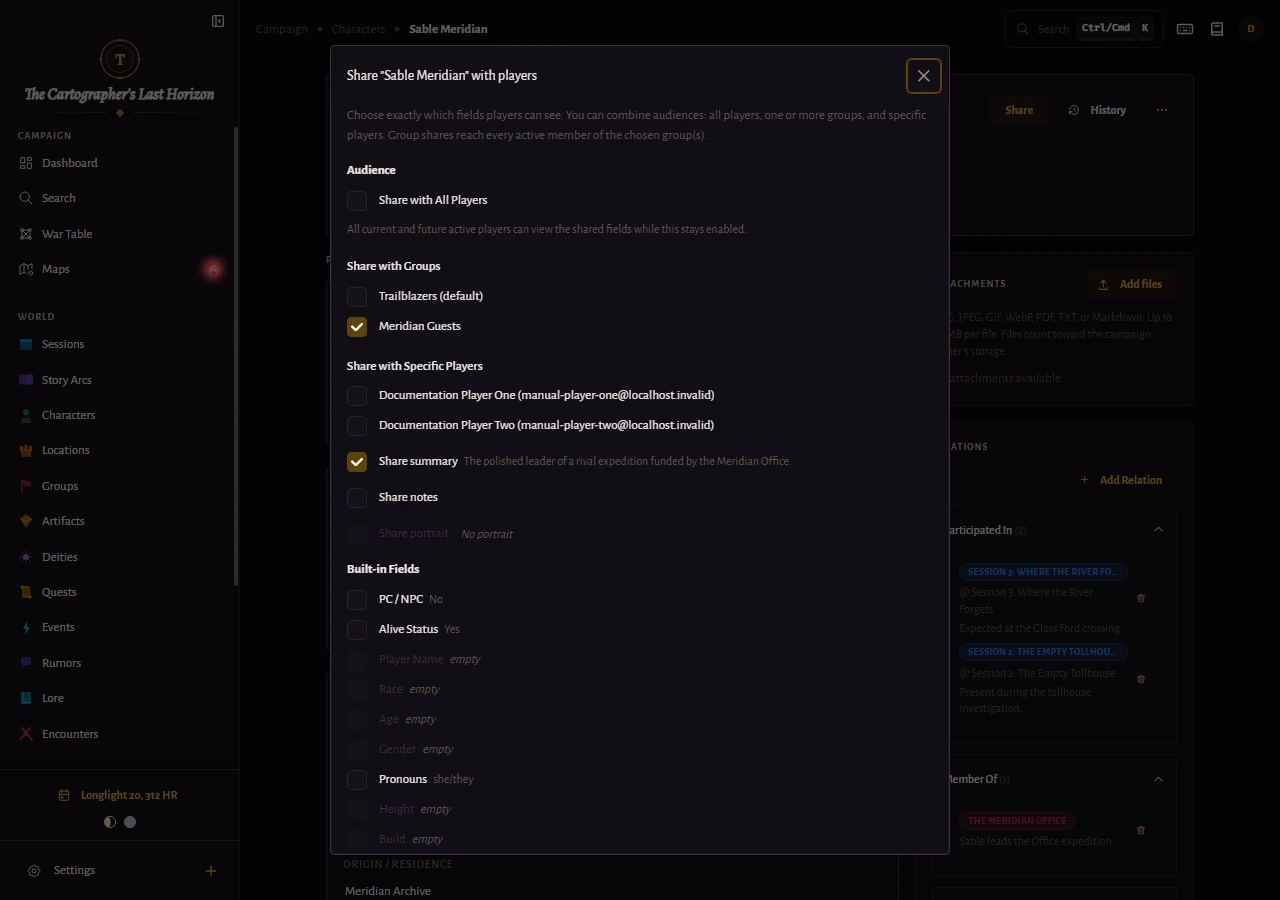
- Open the entity and select Share with Players.
- Select all players, one or more player groups, or individual players.
- Select Share summary when the complete summary is safe for that audience.
- For notes, choose All notes or Marked passages. Mark passages by highlighting text in the note editor and using its player-share control.
- Enable the portrait and individual fields only when players should see them, then select Save Sharing.
Important
Sharing a record does not automatically expose every section. Review each content area before assuming the player view is complete.
Verify with View as Player
View as Player opens a read-only preview of exactly what a selected player can access. Use it after changing groups, sharing a major reveal, or enabling communal editing.
Best practice
Verify reveals before a session rather than while players are waiting. Check both the entity detail and player search results.