Core workflows
Encounters and Combat
Prepare combatants, run initiative, track changing conditions, and control what appears on stream.
About 9 minutes
Prepare an encounter
- Create an Encounter entity and describe its purpose, environment, and likely escalation.
- Add combatants from the SRD library, enabled content packs, your custom monster library, campaign characters, or a blank custom combatant.
- Review armor class, hit points, initiative modifiers, and display names.
- Roll hit points when you want individual variation, or enter fixed values for predictable pacing.
- Link the encounter to its location and the session where it may occur.
Best practice
Record terrain and non-combat objectives in the encounter notes. Initiative is easier to run when the reason for the fight remains visible.
Run the combat tracker
- Open Combat Tracker from the sidebar, launch the encounter from a session workspace, or load it in DM Screen Combat mode.
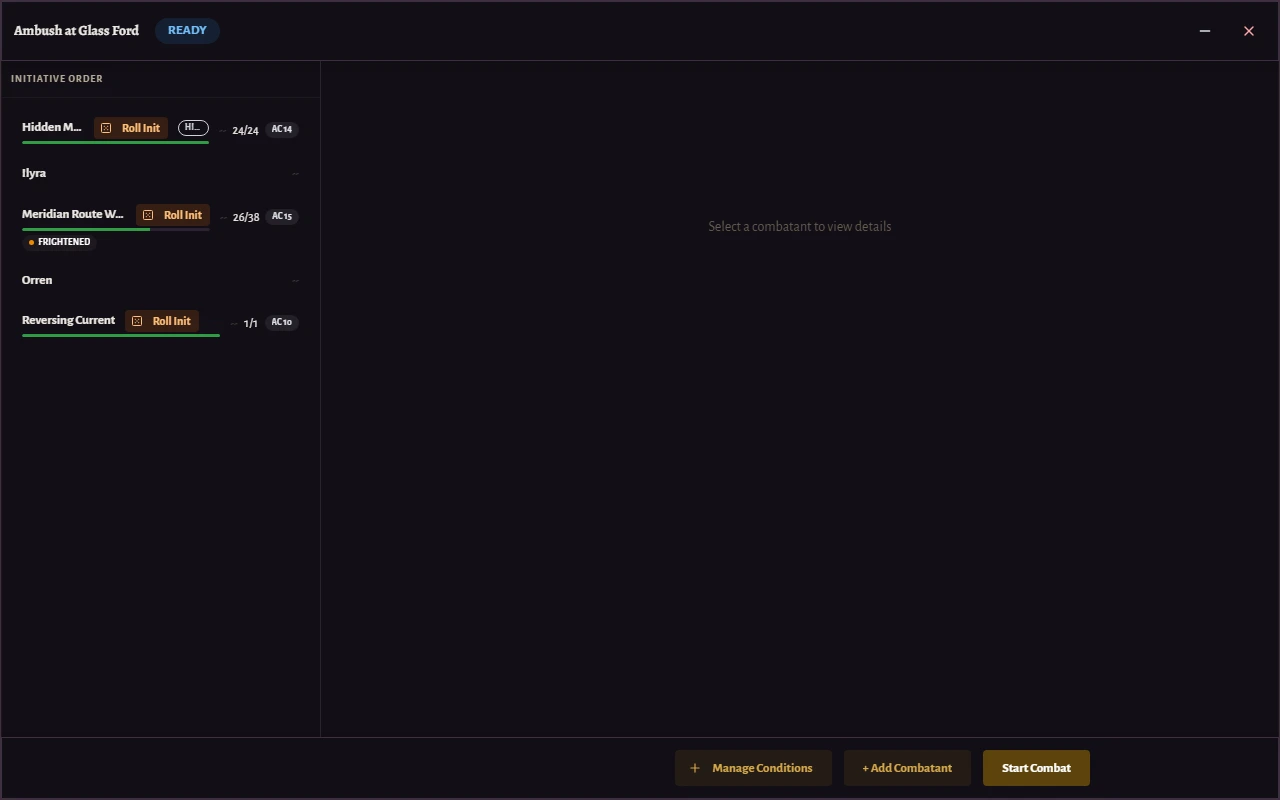
- Enter or roll initiative, then start combat.
- Advance turns and rounds from the tracker header.
- Apply damage, healing, temporary hit points, and conditions from each combatant row.
- Open the detail panel when you need the saved stat-block snapshot or editable combatant values.
- Complete the encounter when the active state should no longer appear in live tools.
Understand stat-block snapshots
Library monsters are copied into the encounter when added. Later edits to the library do not silently change an encounter already prepared for play.
You can still adjust the encounter combatant itself when this specific scene needs different hit points, armor class, name, or notes.
Control combat on OBS
An OBS layout can show initiative, current turn, health state, portraits, and conditions. Hidden combatants remain a deliberate GM choice rather than an automatic reveal.
Important
Preview the browser source before play. Display names, portraits, condition labels, and initiative order can reveal information even when notes remain private.