Core workflows
Prepare and Run Sessions
Turn campaign knowledge into scenes, beats, references, encounters, and a lasting recap.
GM
About 10 minutes
Create the session record
- Open Sessions and create the next session.
- Set its number, title, date, and player groups.
- Add a short summary of the intended focus.
- Link the session to a story arc when it advances a larger thread.
Build the prep workspace
- Review the previous session and unresolved threads.
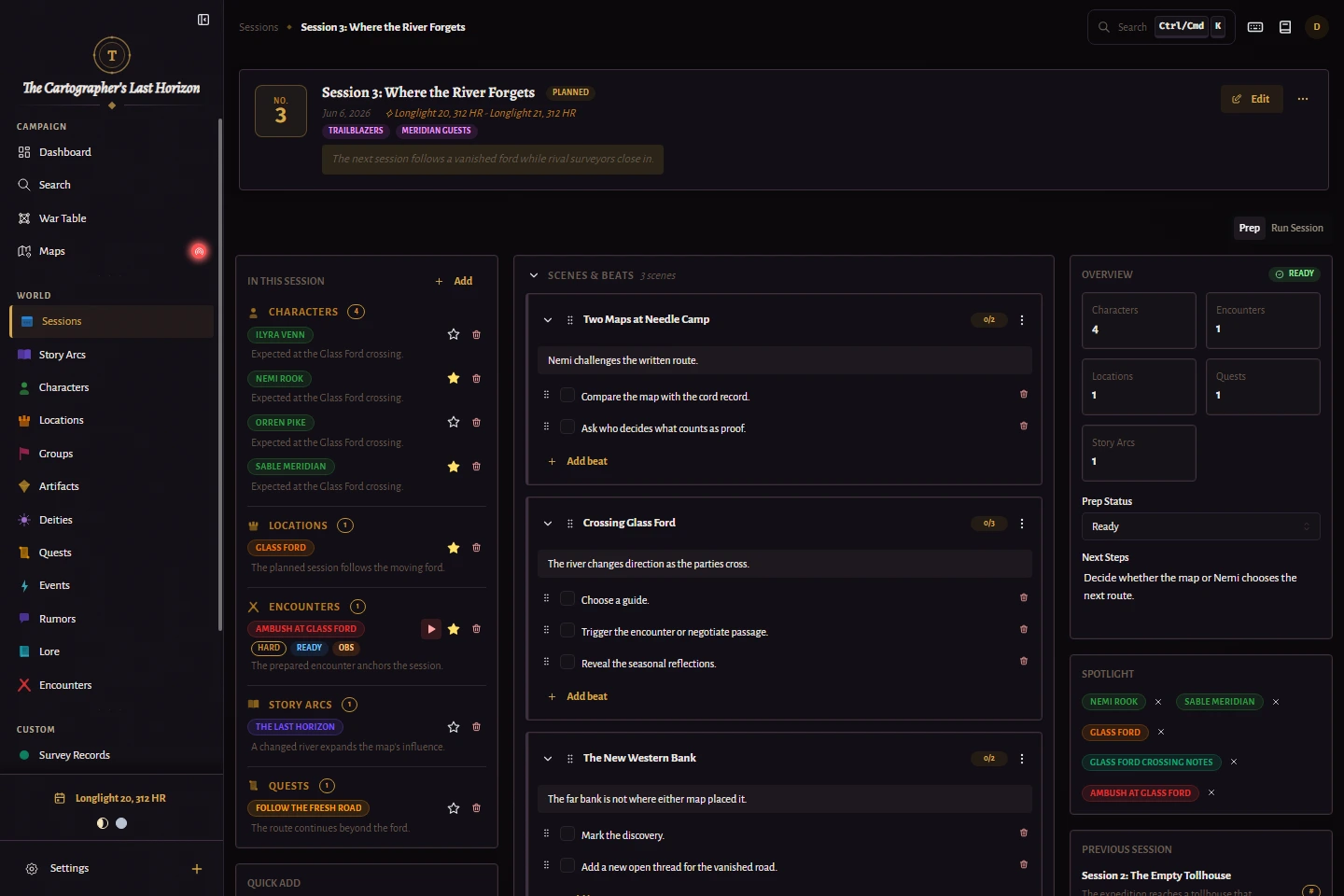
- Create scenes in a useful default order.
- Add beats for information, choices, or changes that may happen within each scene.
- Drag scene and beat handles to refine the order; beats can move between scenes.
- Press Enter in a beat to create the next beat, or Shift+Enter to add a line break.
- Pin spotlight entities you expect to reference often.
- Attach encounters and supporting notes where they will be needed.
Best practice
Prepare situations and decisions, not a rigid script. Duplicate reusable scene structures or move scenes between sessions when play takes a different direction.
Control the PC Reference roster
- Open each Player Character entity and keep Alive enabled only while that character belongs in active play.
- Under Identity & Role, assign the PC directly to one or more Player Groups, one or more Players, or both.
- A direct player assignment follows that player when the player moves to another group.
- Assign Player Groups on the session when it is intended for particular parties.
- Run Session shows only living PCs whose direct group or assigned player matches one of the session groups.
- When the session has no Player Groups, Run Session shows every living PC in the campaign.
Best practice
Use direct player assignments for a player's regular character and direct group assignments for shared, rotating, or group-controlled PCs.
Run and log the session
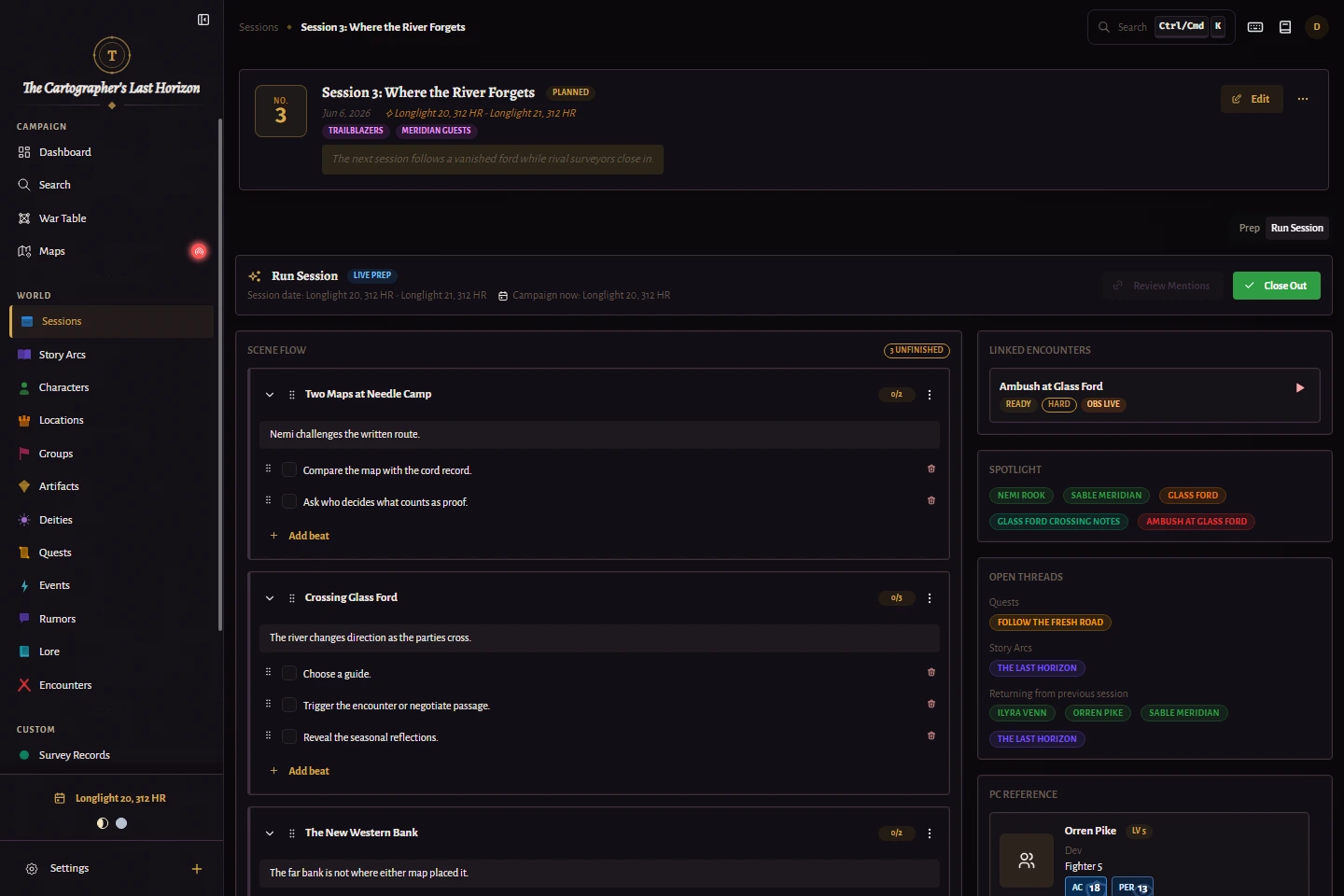
- Open the Run workspace at the table.
- Open DM Screen instead when play needs a broader command center with quick mode switching and pinned references.
- Move between scenes and reference spotlight entities without leaving the workspace.
- Launch the combat tracker when an encounter begins.
- Capture unexpected developments as they happen.
- After play, mark the session played and write the recap while details are fresh.